Tomb Raider APK v23.329 – Yamatai Survival Adventure on Android
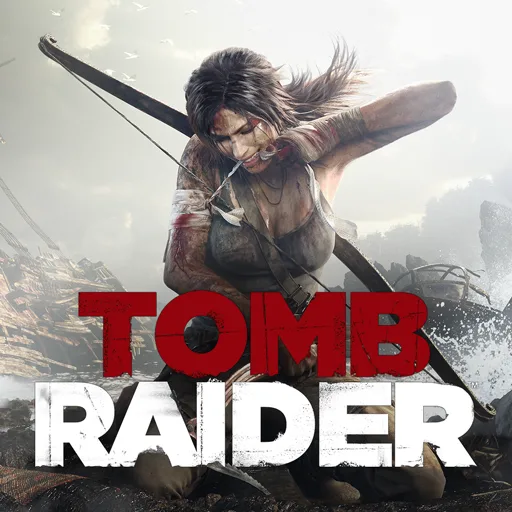
Tomb Raider APK refers to Feral Interactive’s Android adaptation of the modern Tomb Raider reboot, not the original 1996 game or Tomb Raider Reloaded. It follows Lara Croft through a survival-focused adventure on Yamatai, combining exploration, platforming, environmental puzzles, firefights, crafting and Challenge Tombs. Before installing, pay close attention to the game’s Android 13 requirement, supported chipsets and unusually large storage demand.
Game information
Tomb Raider APK for Android: What This Release Is
This Tomb Raider APK is Feral Interactive’s Android version of the action-platforming adventure associated with the 2013 Tomb Raider reboot. The package identifier com.feralinteractive.tombraider_android helps distinguish it from other Android games using the Tomb Raider name, including the original 1996 release and Tomb Raider Reloaded.
Rather than being a small arcade adaptation, this is a campaign-focused Lara Croft adventure built around traversal, exploration, environmental puzzles, combat and survival systems. The Android version also includes additional content and several input options, making device compatibility and storage preparation important parts of the installation process.
Story and Setting: Lara Croft on Yamatai
The story begins with 21-year-old Lara Croft on her first archaeological expedition. After a shipwreck, Lara and the expedition are stranded on the mysterious island of Yamatai, a dangerous location shaped by ancient ruins, hostile inhabitants and the history surrounding its cultists.
Lara’s objective is to survive the island, escape Yamatai and uncover the truth connected to the ruins and the people who control the island. Her development is also part of the campaign: she starts as an inexperienced survivor and gradually becomes a more capable adventurer as new skills, equipment and survival abilities become available.
How the Main Gameplay Loop Works
Movement through Yamatai combines platforming and exploration. Lara travels across the island, searches its locations and uses traversal abilities to reach areas connected to the wider story. Exploration is not limited to simply following the main route: relics and ancient scrolls provide additional discoveries tied to Yamatai’s mysteries and cultists.
The action-platforming sections are regularly broken up by environmental puzzles. These challenges require Lara to interact with the surroundings rather than relying only on combat. Challenge Tombs provide more focused exploration and puzzle content within the broader campaign, giving players another reason to investigate areas away from the main path.
Firefights form the combat side of the loop. Between traversal and battles, players can hunt for materials and use them to craft equipment that helps Lara survive the environment. This connects exploration with progression: searching the island can provide both discoveries and materials that support Lara’s development.
Skills, Equipment and Exploration Progression
Tomb Raider includes a skill-unlocking system designed to develop Lara throughout the adventure. The system is presented as a transition from inexperienced survivor to more capable adventurer, so progression is connected to how Lara handles the island’s hazards and encounters.
Material gathering and crafting add a survival-focused layer to exploration, while equipment and weapon upgrades support the action sections. Relics, scrolls and Challenge Tombs add objectives beyond simply reaching the next story moment. Together, these systems give exploration a practical role: it can reveal more about Yamatai, offer puzzle-focused activities and contribute to Lara’s ability to progress.
DLC and Included Additional Content
The Android release is described as including 12 DLC packs. The additional content covers skills, weapon upgrades and Lara skins, and the package also includes a bonus Challenge Tomb.
These additions expand the release beyond its central campaign with extra customization, progression-related content and another dedicated tomb challenge. Individual DLC pack names and unlock conditions are not needed to understand the main offering: the Android version includes a substantial selection of supplementary content alongside Lara’s Yamatai adventure.
Controls and Android-Specific Features
The port supports touchscreen controls for playing directly on an Android device, but touch input is not the only option. Gamepads are supported, as are mouse-and-keyboard controls. This gives players several ways to approach a third-person action game whose movement, aiming and combat may feel different depending on the chosen control method.
Gyroscopic motion aiming is available on supported devices. Android-specific optimization presets also allow players to adjust the balance between performance and visuals. Motion aiming should not be assumed to work on every phone or tablet, since it depends on device support.
The official Google Play listing shows update notes covering Arabic support, Simplified Chinese text support, advanced frame-rate settings, aiming improvements, auto-aim reliability, subtitle font sizing, graphics settings and minor fixes. These notes describe changes made in the listing and should not be interpreted as proof that every device experienced each issue.
Android Compatibility and Storage Requirements
For this exact Feral Interactive release, the official Android listing states Android 13 or later. Android version alone is not enough to guarantee that the game will run: Feral also provides supported-chipset and verified-device information, and Google Play can occasionally identify a device as compatible even when it does not match the game’s supported hardware profile.
Storage is especially important. The official listing indicates that approximately 12.5 GB of free space is required and recommends having at least twice that amount available for the initial installation. The 89.7 MB file-size value shown in the page details should therefore not be treated as the complete installed-game requirement. Prepare substantially more space than the APK file size suggests before beginning setup.
The page displays version 23.329, but that number should not be read as a statement that it is the latest official Android build. For compatibility and release information, use the exact store listing and Feral’s supported-device resources as the practical references.
Installing This Android Release
- Check that the device runs Android 13 or later and compare its chipset with Feral’s supported or verified-device information.
- Clear approximately 12.5 GB of free storage, with considerably more available if possible for the initial installation.
- Download the APK and open it from the browser or file manager.
- If Android requests permission for that source to install apps, allow the relevant browser or file manager in Settings, then return to the APK.
- Complete the installation and launch the game.
Do not estimate the required space from the small APK-size figure alone. If Google Play identifies the device as compatible but the game does not run correctly, compare the hardware against Feral’s verified-device information rather than relying only on the store compatibility result.
Title-Specific Support Tips
Feral’s Android support materials include guidance for supported chipsets and verified devices, gamepads, keyboard-and-mouse controls, Google Drive saves and Google Drive synchronization. They also cover the Climbing Axe traversal mechanic. These resources are useful when a supported input method or save feature does not behave as expected.
The support information should be used alongside the device checks above. It is also worth reviewing the game’s available graphics, frame-rate and aiming settings after installation, particularly when choosing between the available optimization presets.
Frequently Asked Questions
What Tomb Raider game is this APK?
It is Feral Interactive’s Android port of the modern Tomb Raider reboot associated with the 2013 game. The Android package is identified as com.feralinteractive.tombraider_android.
Is this the original 1996 Tomb Raider or Tomb Raider Reloaded?
No. This page describes the reboot-based action-adventure port featuring Lara Croft’s shipwreck and survival campaign on Yamatai.
How much storage does Tomb Raider require on Android?
The official listing indicates approximately 12.5 GB of free space, with at least twice that amount recommended for the initial installation. The APK file-size value should not be used as the total storage estimate.
Can I use a controller?
Yes. The Android version supports gamepads as well as touchscreen controls. Mouse-and-keyboard input is also supported.
Does the game support motion aiming?
Gyroscopic aiming is available on supported devices. Device hardware determines whether this option can be used.
What extra content is included?
The Android release includes 12 DLC packs, with skills, weapon upgrades, Lara skins and a bonus Challenge Tomb among the described additional content.
Does meeting the Android requirement guarantee compatibility?
No. The official listing states Android 13 or later, but supported chipsets and verified devices also matter. Check Feral’s device information before installation.
More in Action-Adventure

Spider Fighter 3 MOD APK

GTA SA Cleo MOD APK
Rope Hero Vice Town MOD APK

Kick the Buddy MOD APK
Madout2 MOD APK
PUBG Mobile MOD APK

PUBG Mobile Lite APK
PUBG MOBILE KR APK
Shadow Fight 3 MOD APK

Hungry Shark Evolution MOD APK
Sniper 3D MOD APK